You log into Deutsche Bank's online banking portal, navigate to your account transactions, look for the export or download button, and hit a wall. Either the CSV download fails silently, the file comes back empty, the numbers are formatted in a way that breaks Excel entirely, or the portal simply doesn't offer the format you need for your accounting software.
If you've searched "Deutsche Bank statement export not working", you're dealing with one of the more frustrating data export experiences in European banking. The good news: there is a 30-second fix that completely bypasses Deutsche Bank's export infrastructure, and it works every single time.
Why Deutsche Bank's Statement Export Keeps Breaking
Deutsche Bank's online banking platform, db OnlineBanking has undergone several interface redesigns in recent years. Each redesign has shifted where export options live, changed how they behave, and introduced new compatibility issues with external tools. Users who knew exactly where the export button was in the old interface often find themselves searching again after an update.
But beyond navigation changes, there are structural reasons why Deutsche Bank's CSV export specifically causes problems:
German Number Formatting Breaks Most Spreadsheet Tools
This is the single most common Deutsche Bank export failure that users don't immediately recognise. German number formatting uses a comma as the decimal separator and a period as the thousands separator, the exact opposite of the UK, US, and most international conventions.
So what Deutsche Bank exports as 1.299,00 is the number 1,299.00 in every other country's formatting standard. When this lands in Excel or Google Sheets set to English locale, the software reads 1.299,00 as the text string "1.299,00", not as a number at all. You can't add, subtract, or calculate with it. Your entire balance column becomes unusable.
Fixing this manually involves either changing your system locale settings (which affects everything else on your computer) or doing a find-and-replace on every amount in the file, neither of which is a reasonable ask for a routine financial task.
SEPA and MT940 Formats Don't Open in Excel
Deutsche Bank, like most German banks, often provides transaction exports in MT940 format, a SWIFT standard used for bank-to-bank messaging or CAMT.053 format, which is the XML-based European standard for account statements. These formats are designed for bank-to-bank communication and accounting software imports, not for opening in a spreadsheet.
If you downloaded a Deutsche Bank export and got a file that looks like a wall of cryptic text when you open it, you almost certainly got an MT940 or CAMT file. These are perfectly valid formats, just not for the use case you have in mind.
The Portal's CSV Export Is Inconsistent
Even when Deutsche Bank's portal does offer a CSV download, the output isn't always reliable. Users across finance forums report:
-
CSV files that download as completely empty
-
Files that contain headers but no transaction rows
-
Exports where the date range selection is ignored and all transactions are returned regardless
-
Semicolon-delimited files (common in German software) that open as a single column in Excel rather than separate columns
After Deutsche Bank redesigned its web interface, many users found that the CSV export option moved, was temporarily removed from certain account types, or simply stopped producing usable output without any error message.
Portfolio and Depot Statement Exports Are a Separate Issue
If you're trying to export Deutsche Bank depot (investment) account statements rather than current account transactions, you're dealing with an entirely different section of the portal, historically under a separate brokerage interface. The depot CSV export button ("Wertpapierliste als CSV exportieren") was hidden in the lower-right of the portfolio view and has been a source of significant user confusion, particularly after interface updates moved or removed it.
"After Deutsche Bank updated their online banking, I couldn't find the CSV export anywhere. Spent 45 minutes clicking through menus before giving up. The transactions are there on screen, I just can't get them out."
This is a pattern repeated constantly across user forums and community boards. The data exists. The export path is just broken or inaccessible.
What You've Probably Already Tried
Downloading MT940 and trying to open it in Excel. Doesn't work, MT940 is a messaging format, not a spreadsheet format.
Using the CSV export and getting garbled numbers. German decimal formatting breaking your locale settings. Very common.
Trying to copy-paste transactions from the screen. The db OnlineBanking portal renders transactions dynamically, copying from the screen produces incomplete, structurally broken output.
Switching browsers. Sometimes helps with portal responsiveness, but doesn't fix formatting or structural issues with the export itself.
Contacting Deutsche Bank support. Typically results in a suggestion to use their official export formats, which are the ones that don't work for your use case in the first place.
The 30-Second Fix: Download the PDF, Convert to CSV
Here's the workaround that solves everything: download your Deutsche Bank statement as a PDF and convert it.
Deutsche Bank's PDF statement generation is handled by a completely separate system from their CSV/MT940 export pipeline. It almost never fails. It always produces a clean, readable document. And critically, it bypasses every formatting, encoding, and compatibility issue that makes the CSV export so unreliable.
Once you have the PDF, AIBankStatement converts it to a clean, structured CSV or Excel file in under 30 seconds, with numbers in the correct format for your locale, one transaction per row, and every column correctly identified.
Relevant Features for Deutsche Bank Statements Specifically
AI Extraction - Handles European Statement Layouts
Deutsche Bank statements have a specific multi-column layout, Buchungsdatum (booking date), Wert (value date), Verwendungszweck (purpose/reference), Beguenstigter/Zahlungspflichtiger (payee/payer), IBAN, BIC, Glaeubiger-ID, Betrag (amount), and Glaeubiger-ID. The AI at AIBankStatement is trained on international bank statement layouts including European formats and correctly maps these fields into standard columns, Date, Description, Amount, Balance, that work in any spreadsheet or accounting tool.
OCR Mode - For Older or Branch-Issued Deutsche Bank Statements
If your Deutsche Bank statement is from several years ago, was issued at a branch, or was sent as a scanned document rather than generated digitally, it exists as an image-based PDF with no selectable text. AIBankStatement's OCR processing mode reads the image of the statement using Optical Character Recognition fine-tuned for financial documents correctly identifying amounts, dates, and descriptions even from scanned pages, and assembling them into proper transaction rows.
Text-Based Mode - For Current Digital Statements
For modern Deutsche Bank eStatements downloaded directly from db OnlineBanking, the platform's text extraction mode reads the embedded text directly, bypassing the copy-protection and column-ordering issues that break manual extraction, and delivers clean output without any manual formatting.
95%+ Accuracy - Handles German Decimal Formatting
The AI outputs numbers in standard international format, 1299.00, not 1.299,00, so the converted CSV opens correctly in Excel, Google Sheets, QuickBooks, Xero, DATEV-compatible tools, and any other software without locale conflicts.
Batch Processing - For Multiple Months or Multiple Accounts
If you need a full year of Deutsche Bank statements, or you manage multiple accounts (Girokonto, Kreditkarte, Tagesgeld, Depot), the batch processing feature lets you upload 20+ PDFs simultaneously and process them all at once. All converted files download as a single organised ZIP archive. Perfect for year-end bookkeeping or accountant submissions.
Files Auto-Deleted After Processing
Deutsche Bank statements contain your IBAN, BIC, and full transaction history. AIBankStatement automatically and permanently deletes all uploaded files immediately after your converted file is ready for download. No data is stored, retained, or accessed by any human after processing.
Step-by-Step: Deutsche Bank PDF to CSV in 30 Seconds
Step 1 - Get your Deutsche Bank PDF
Log in to DB OnlineBanking at deutschebank.de. Log in to your account, then go to "Kontoauszüge" (account statements) or "Postfach" (mailbox) where eStatements are stored. Download the PDF statement for the period you need. If you need transaction data rather than a formal statement, go to "Umsätze" (transactions), set your date range, and use "PDF speichern" or print-to-PDF to save the view as a PDF file.
Step 2 - Upload to AIBankStatement
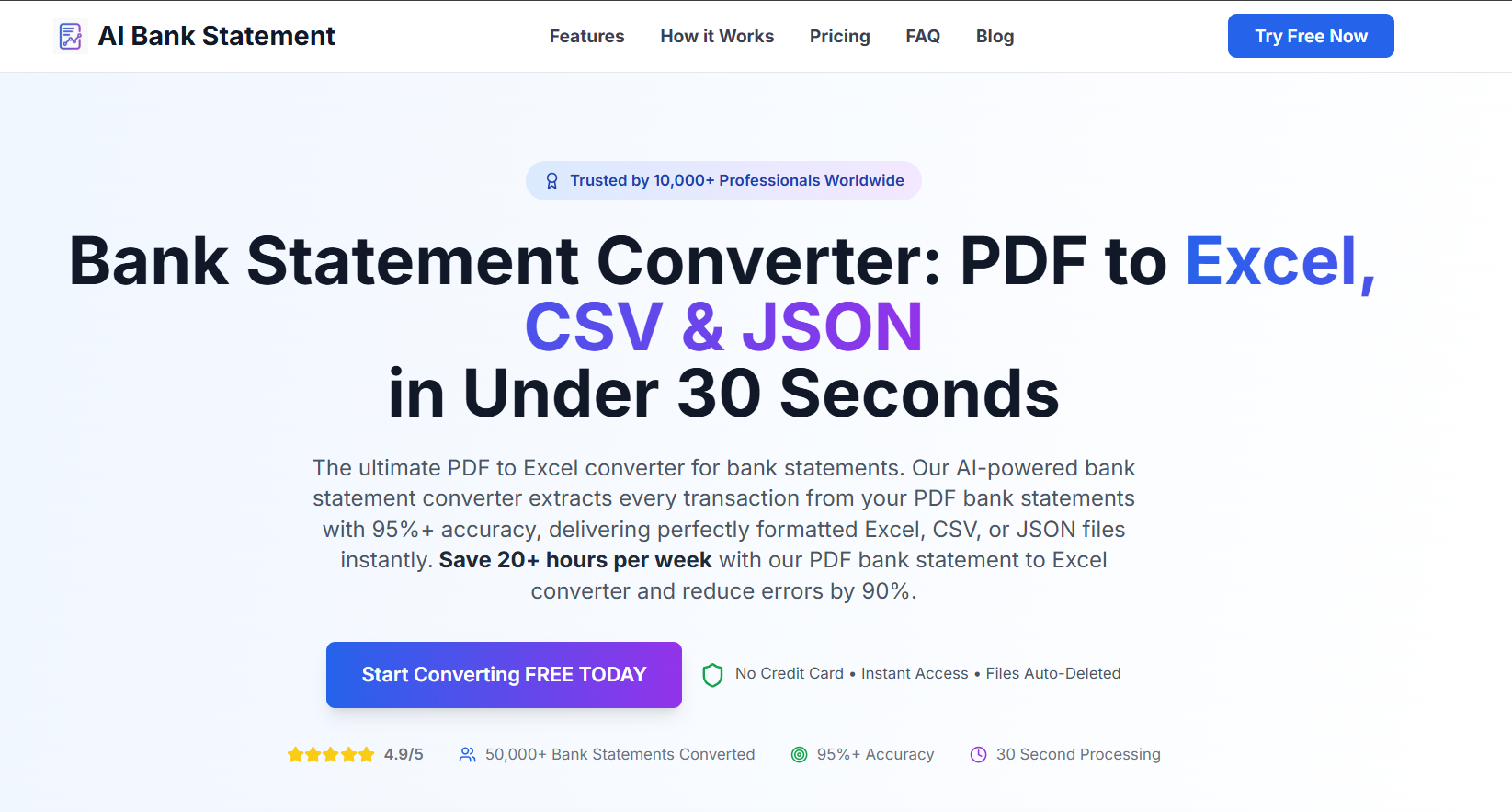
Go to AIBankStatement, sign up, choose a paid plan, and upload your Deutsche Bank PDF.
Step 3 - Select processing mode
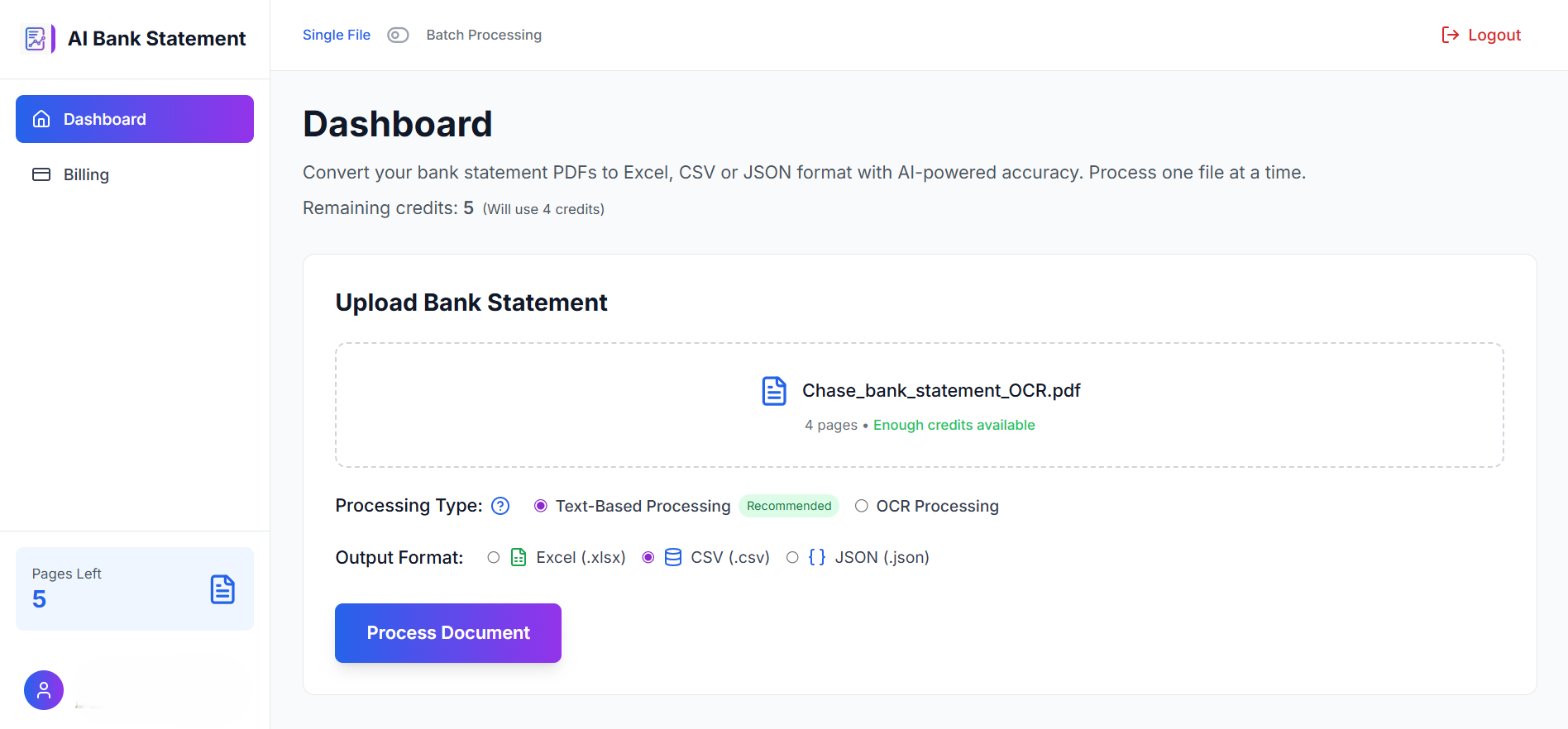
Choose Text-Based for a modern digital eStatement, or OCR for an older or scanned statement. If you're unsure, the platform detects it automatically.
Step 4 - Choose your output format
Select CSV (for accounting software imports and spreadsheets), Excel (.xlsx) (for direct use in Excel or Google Sheets), or JSON (for developer workflows).
Step 5 - Download and use
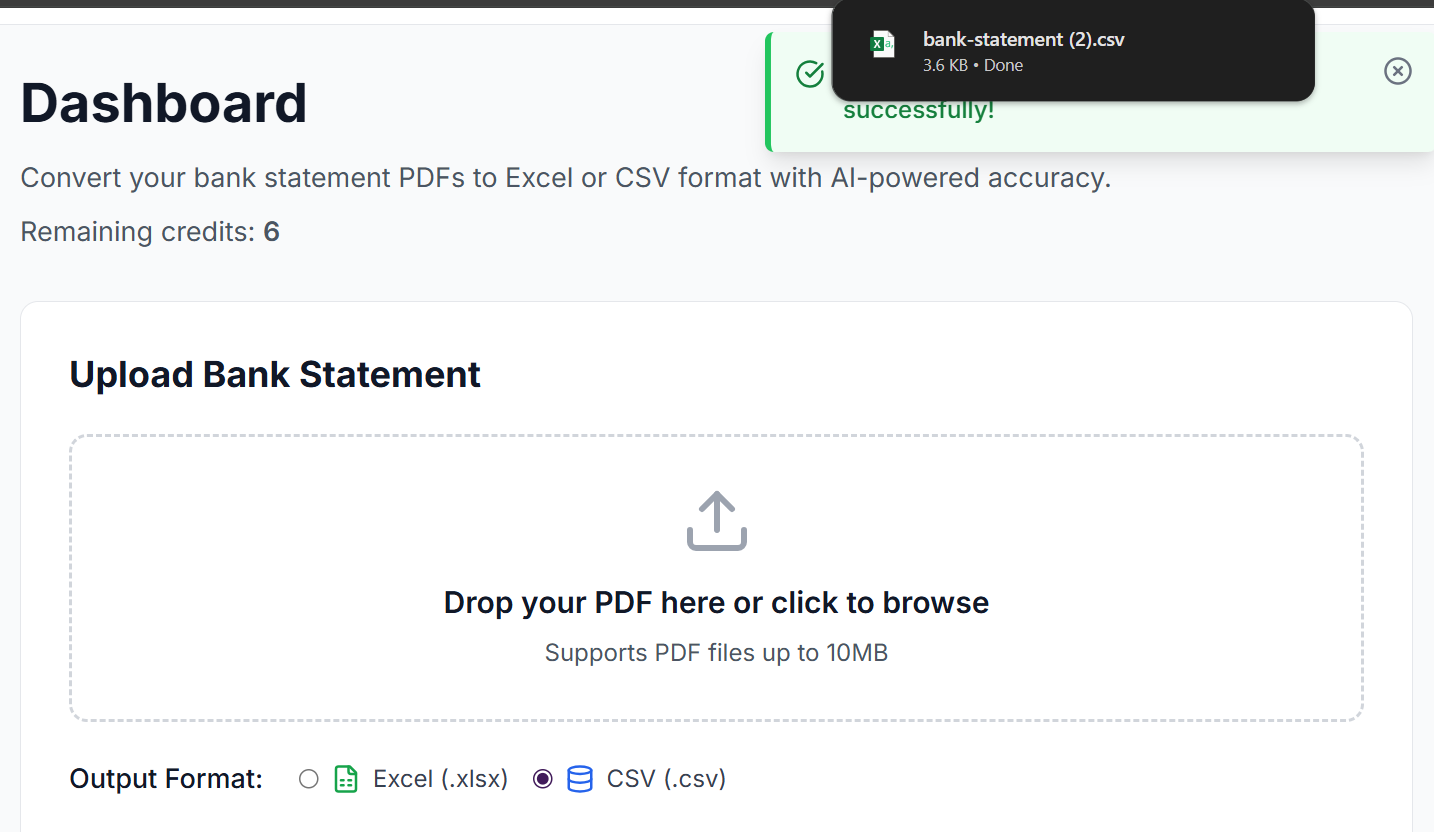
Your converted file is ready in under 30 seconds. Open it, numbers are correctly formatted, columns are properly labelled, one transaction per row. Import directly into QuickBooks, Xero, Lexware, or your preferred tool.
Comparison: Deutsche Bank Export Options
| Method | Works Reliably? | German Number Format Issue? | Time | Output Quality |
|---|---|---|---|---|
| DB CSV export | ❌ Inconsistent | ❌ Yes, breaks Excel | Variable | Poor to mixed |
| MT940 / CAMT download | ❌ Not for spreadsheets | N/A | Requires specialist tool | Unusable in Excel |
| Copy-paste from portal | ❌ No | N/A | Hours | Broken |
| DB PDF → AIBankStatement | ✅ Always | ✅ None, correct format | 30 seconds | Clean |
🔗 Done Fighting Deutsche Bank's Export?
Upload your Deutsche Bank PDF statement and get a clean, perfectly formatted CSV or Excel file in 30 seconds. Works with Girokonto, Kreditkarte, Tagesgeld, and Depot statements. Files are auto-deleted after processing.
→ Convert Your Deutsche Bank Statement at AIBankStatement
Frequently Asked Questions
Q1: Deutsche Bank gave me an MT940 file, can AIBankStatement convert that instead of a PDF?
A1: Currently aibankstatement.com accepts PDF bank statements as input, not MT940 or CAMT.053 files directly. MT940 is a SWIFT messaging format designed for bank-to-bank communication, and while it contains your transaction data, it's structured very differently from a statement PDF. The most reliable workaround is to download your Deutsche Bank statement as a PDF instead, either from "Kontoauszüge" (formal statements) or by saving a PDF from the "Umsätze" transaction view, and convert that. The PDF route bypasses MT940 format confusion entirely and produces cleaner output.
Q2: My Deutsche Bank CSV export downloads but the numbers look wrong in Excel, like 1.299,00 instead of 1299.00. Can aibankstatement.com fix this?
A2: This is German decimal formatting, Deutsche Bank uses a comma as the decimal separator and a period as the thousands separator, which is the opposite of UK/US/international convention. When you convert via AIBankStatement, the AI outputs numbers in standard international format (1299.00) that Excel, Google Sheets, QuickBooks, and Xero all read correctly as actual numbers rather than text strings. No manual find-and-replace, no locale setting changes required.
Q3: I need my Deutsche Bank Depot (investment/brokerage) statement converted, not my current account. Does it work the same way?
A3: Yes. AIBankStatement converts Deutsche Bank depot and brokerage statement PDFs the same way as current account statements. Depot statements have a different layout, they typically include security names, ISIN numbers, units, unit prices, and portfolio values alongside transaction entries, and the AI reads this structure correctly. Download the PDF version of your depot statement from the Deutsche Bank brokerage portal and upload it as normal. Select the output format that works best for your portfolio tracking or tax preparation tool.
Q4: I have 12 months of Deutsche Bank statements to convert. Do I have to upload them one by one?
A4: No, use AIBankStatement's batch processing feature. You can upload all 12 monthly PDF statements simultaneously, configure each one individually if needed (OCR or text-based mode, output format), and the platform processes them all in parallel. All converted files download as a single ZIP archive, already named and organised. For a full year of Deutsche Bank statements, the entire batch conversion typically completes in under two minutes, compared to hours of manual data entry or repeated individual uploads.
Q5: Is it safe to upload my Deutsche Bank statement to AIBankStatement given it contains my IBAN and full transaction history?
A5: Yes. AIBankStatement processes files on enterprise-grade secure servers with bank-level encryption, and all uploaded files are automatically and permanently deleted immediately after your converted file is generated. No human accesses your statement data. No file is stored after download. Your IBAN, transaction history, and personal details exist on the platform's servers only for the seconds it takes to process the document, after which they are gone. You're uploading a static PDF document, not connecting your Deutsche Bank account, so there is no ongoing access risk of any kind.